
QuickBet App for Android and iOS Devices
QuickBet App gives mobile users access to casino games and sports betting on Android and iOS devices. The mobile version runs directly in your browser and includes 2,900+ slots, 140+ live tables, and 40+ sports markets. You get the same main sections and account tools as on desktop, with no separate setup needed. Open the platform on your phone and start playing in a few taps.
Alternative Casinos for Mobile Players
Not every punter settles on the first site they try, and that is perfectly fine. Below is a list of other UKGC-licensed operators where you can bet and play through a mobile browser, just like at QuickBet. All of them accept UK payment methods and work on both Android and iPhone. Have a look at their welcome offers and see which one suits your style of play best.












QuickBet App Availability
Let us be upfront about this: there is no native app sitting in the App Store or on Google Play. We made a deliberate choice to run everything through the mobile browser instead. The site is fully optimised for phones and tablets, so you get the same layout, speed, and features as on a laptop. Nothing is stripped down or missing from the mobile version.
| Feature | Mobile Browser |
| Sports Betting | Full access to 40+ sports |
| Casino Slots | All 2,900+ titles available |
| Live Dealer Tables | 140+ tables in HD |
| Deposits and Withdrawals | All payment methods supported |
| Account Settings | Full access including KYC uploads |
| App Download Required | No |
This setup actually works in your favour. You never have to deal with app updates eating your storage or things breaking after an OS upgrade. Open QuickBet in Chrome or Safari, sign in through the Quick Bet Login page, and everything is right there. The site loads fast on both 4G and Wi-Fi with no difference in payout speeds compared to desktop.
How to Add a Home Screen Shortcut on Android
Since there is no app to download, the next best thing is pinning the site to your home screen. It takes about 30 seconds and after that you get a proper icon sitting right next to your other apps. Tap it and the site opens full screen in Chrome, looks and feels just like a regular app. Works on any Android phone running Chrome or Samsung Internet.
- Open QuickBet in Chrome:
Go to QuickBet in your Chrome browser, wait for the homepage to fully load before doing anything else.

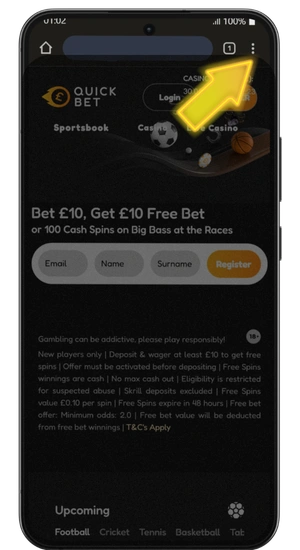
- Tap the three dots menu:
You will find it in the top right corner of Chrome, this opens a dropdown list with browser options.
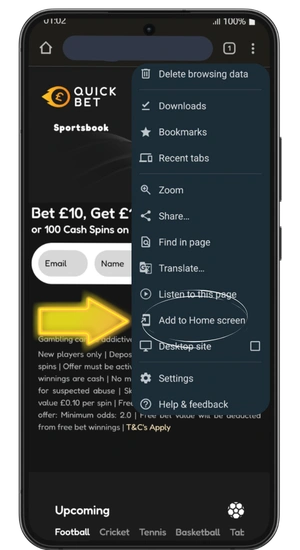
- Select Add to Home Screen:
Scroll down the list until you see it, tap it and a small popup will appear asking you to name the shortcut.
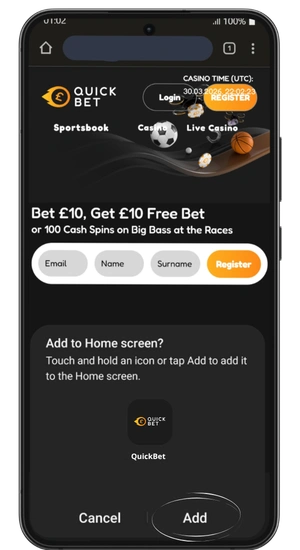
- Name it and tap Add:
Leave the default name or type QuickBet yourself, hit Add and the icon drops straight onto your home screen ready to use.
- Open from your home screen:
Find the new QuickBet icon between your other apps, tap it once and the site launches full screen ready for you to log in and play.
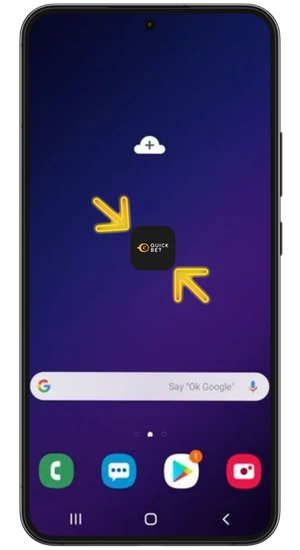
Once the icon is on your home screen, you will not notice any difference between this and a downloaded app. The site opens instantly, your login stays saved if you ticked remember me, and you land straight on the lobby. If you ever want to remove it, just long-press the icon and drag it to the bin like any other app. No files left behind and no storage wasted on your phone.
Steps to Add a Home Screen Shortcut on iOS
iPhone and iPad users can do the same thing through Safari. Even without an app download, you end up with a proper looking icon on your home screen that behaves like any app from the App Store. The process is slightly different from Android but just as quick. This works on any iPhone or iPad running iOS 15 or later.
- Open QuickBet in Safari:
Go to quickbet.uk.com in Safari on your iPhone, this only works in Safari so do not use Chrome or Firefox for this
- Tap the share button:
Find the small square icon with an arrow pointing up at the bottom of your Safari screen, this opens the share menu with all your options
- Tap Add to Home Screen:
Scroll down the list until you see it, tap it and confirm the name in the popup that appears
- Find QuickBet on your home screen:
The icon now sits alongside your other apps with yellow arrows pointing to it, tap it once and the site opens full screen ready to go
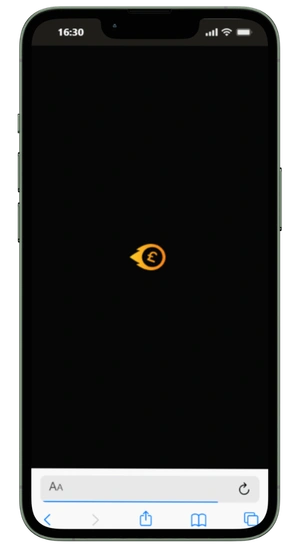
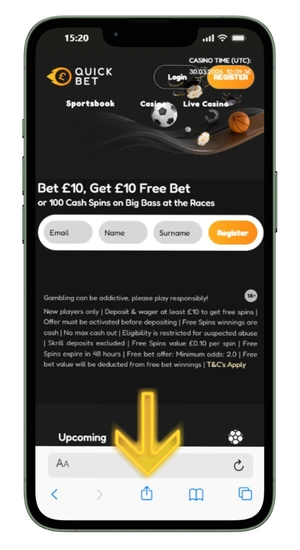
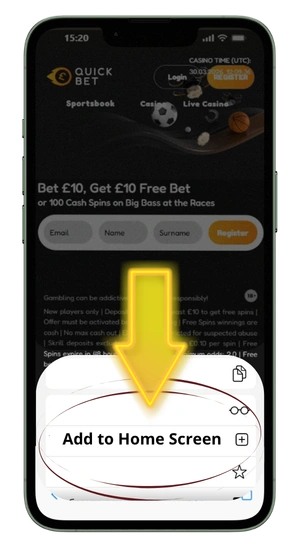
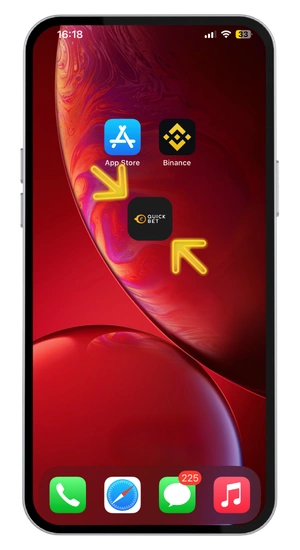
The shortcut stays on your home screen until you delete it manually, even after restarting your phone. Safari remembers your login details so you do not have to type them in every time you open it. You can move the icon into any folder or position on your screen just like a real app. Takes up zero storage space because there is nothing actually installed on your device.
Play Directly in a Mobile Browser on Any Device
You do not need a shortcut or a downloaded app to use the site. Just type QuickBet into whatever browser you have and you are in. The Quick Bet app experience through the browser is identical to what you would get from a native download. Every section of the site is fully accessible from the first tap.
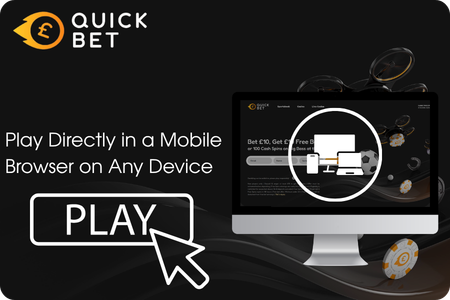
- Android phones: Chrome, Samsung Internet, Firefox, and Opera all work without any issues
- iPhones and iPads: Safari gives the best performance, but Chrome for iOS handles it fine too
- Windows and Mac laptops: Chrome, Safari, Edge, and Firefox on their latest versions
- Older devices: if your phone can run a modern browser and hold a decent Wi-Fi signal, it will load the site
- Tablets: the layout adjusts to the bigger screen giving you more room for live betting and casino tables side by side
The sportsbook, live dealer tables, and the full QuickBet Casino lobby all run the same way on any device. Your balance, bets, and bonus progress carry over between phone and laptop. There is no stripped-down mobile version with fewer games. Whatever you can do on a computer, you can do on your phone too.
QuickBet App System Requirements
Since everything runs in your browser, the bar is pretty low. If your phone handles YouTube and social media without lagging, it will handle our site. No heavy software to install and no graphics card to think about. All you need is a modern browser and a stable connection.
| Requirement | Minimum |
| Android Version | Android 8.0 or later |
| iOS Version | iOS 15 or later |
| Browser | Chrome, Safari, Firefox, Edge, Samsung Internet |
| Internet | 3G minimum, 4G or Wi-Fi recommended |
| Storage Needed | None |
| RAM | 2 GB or more |
| Screen Size | Any, layout adjusts automatically |
Live dealer tables and HD streaming use a bit more data than regular slots, so Wi-Fi is your best bet for those. If you are on mobile data, a 4G signal handles everything without buffering. Older phones with less than 2 GB of RAM might struggle with multiple tabs open at the same time. Close other apps in the background and you should have no trouble running the site smoothly.